Using this template is recommended — you may also edit it freely, but you must fully describe your product and the problem (at least: product name, version, and problem description).
Product and Purchase
- Product model: Hiwonder ROSOrin ROS2 Smart Car, Multimodal Large AI Model / SLAM Navigation / Mecanum Wheels
- SKU or kit name: ROSOrin ROS2 Smart Car standard kit
- Purchase channel: Amazon
- Controller board: raspberry pi 5
Software and Environment
- Operating system: Android
- Connection method: Phone Wi-Fi and Bluetooth
- Software version:
- Firmware version:
- Image version:
- Tutorial step: Initial setup / first power-on
Issue Description
- What did you expect to happen?
I expected the car to boot normally, and the car does not connect to the Wi-Fi/Bluetooth connection so that I could connect my phone and control the robot. - What actually happened?
When I turn the car on, the lights on the boards turn on and I hear beeping, but otherwise nothing happens. Are there lights on the top PCB? The top PCB fans only spin on startup and never after that, and I cannot connect the car to my phone. The car does not appear to complete the normal startup process. - Error message or logs:
No error message is displayed because I cannot connect to the car. I only hear beeping after powering it on.
Reproduction Steps
- Connect the battery/power and turn on the car.
- The lights on the PCBs turn on and the car begins beeping.
- Wait for the car to finish booting.
- The top PCB fans only spin on startup and I cannot connect to the car with my phone.
Evidence
- Photos or short video:
I can provide a video showing the startup sequence, lights, and beeping. - Wiring photo:
I can provide a clear photo of the wiring, especially the 4 wires connected to the top PCB. - Screenshot:
I can provide screenshots showing that the phone cannot find/connect to the car.
What You Have Tried
- Power-cycled the robot multiple times.
- Tried connecting to the car with my phone again.
- Checked the visible wiring and connections.
- Confirmed that the PCB lights turn on when powered.
- I have not yet performed a hard reset or firmware recovery.
- I would like to know whether the 4 wires connected to the top PCB could be connected incorrectly.
- I would also like to know whether there is a hard-reset/recovery procedure for this board.
- Since the top PCB fans do not spin and the robot does not appear to boot normally, could this indicate a faulty PCB, insufficient power, or another hardware issue?
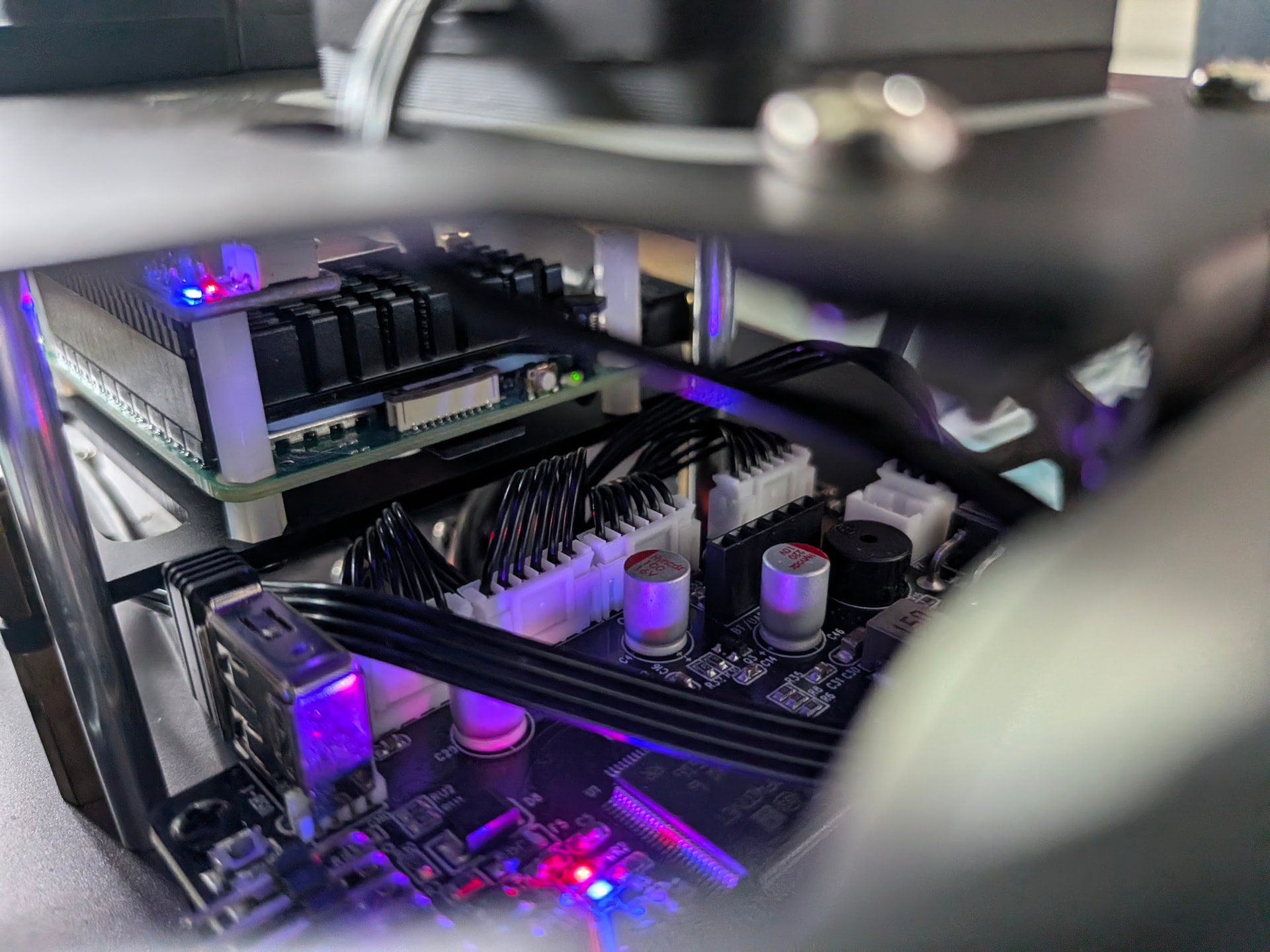
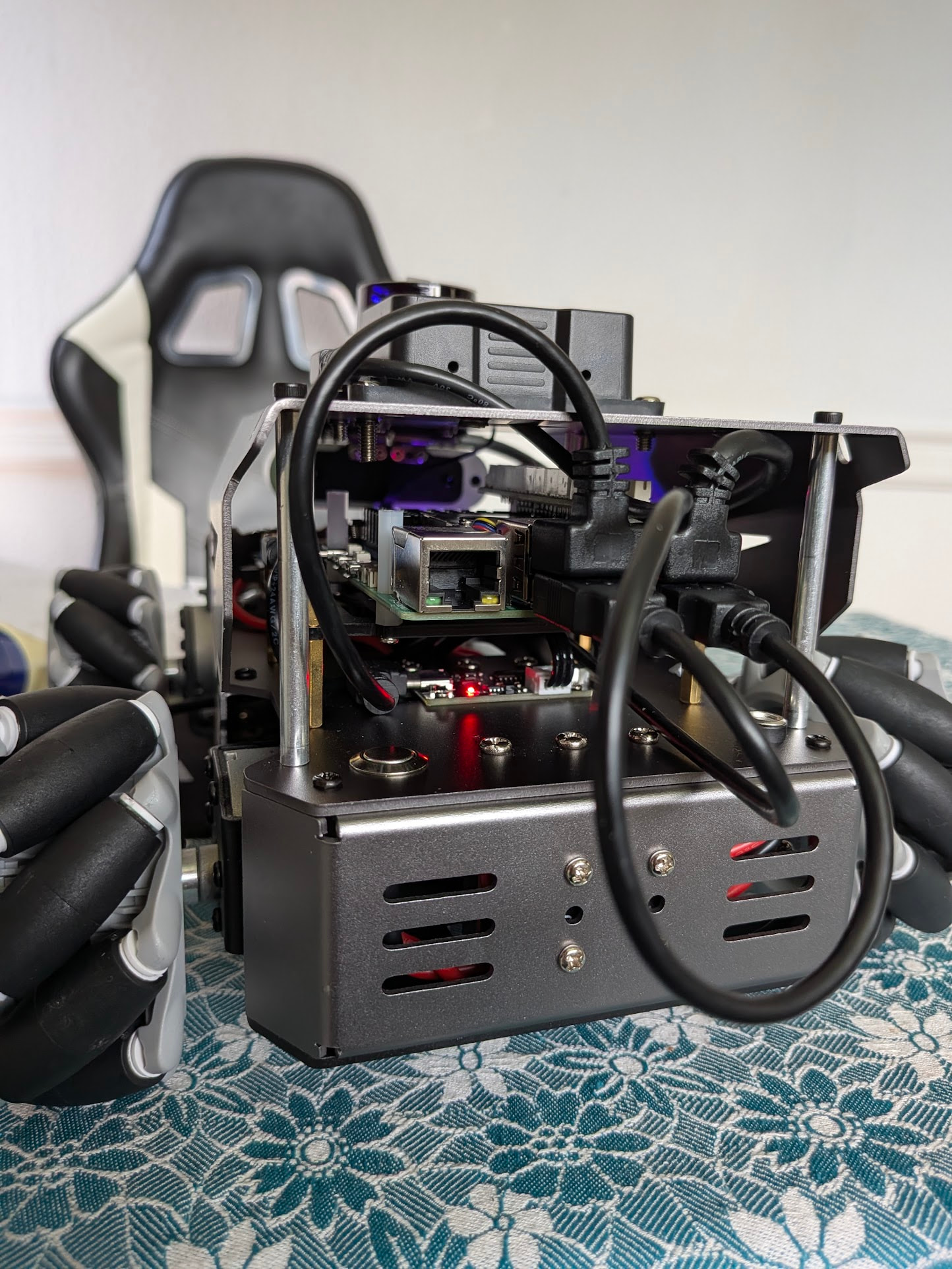
Additional question:
There is also a blinking green light in the front what could that mean? Could someone please help me determine whether this is most likely a wiring problem, power problem, failed boot/firmware issue, or defective hardware? This is brand new. In particular, I would like to know what the normal startup behavior of the top PCB fans and beeping should be, and whether there is a safe hard-reset procedure I can try before replacing any hardware.