Quick answer
- Choose Tonybot if you want the easiest way into humanoid robots. It runs on ESP32 and supports Scratch, Arduino, and Python. It’s built for servo control, sensors, and AI experience.
- Choose TonyPi Pro if the goal is AI vision and embodied AI. It uses a Raspberry Pi, a 2-DOF head camera gimbal, and 2-DOF grippers hands. You can work in OpenCV and MediaPipe. Also, There are kits for voice-controlled hurdles, steps, and intelligent carrying.
1. Introduction
Humanoid robots are now common in robotics classes, AI labs, and maker projects. Different kits serve different stages. Some are for programs, motion, and simple interaction. Others are for deeper vision algorithms and embodied tasks.
2. Product overview
Tonybot and TonyPi Pro are both Hiwonder humanoid platforms for AI learning. They differ in controller, software stack, and what you actually study.
Tonybot — ESP32 platform for beginners
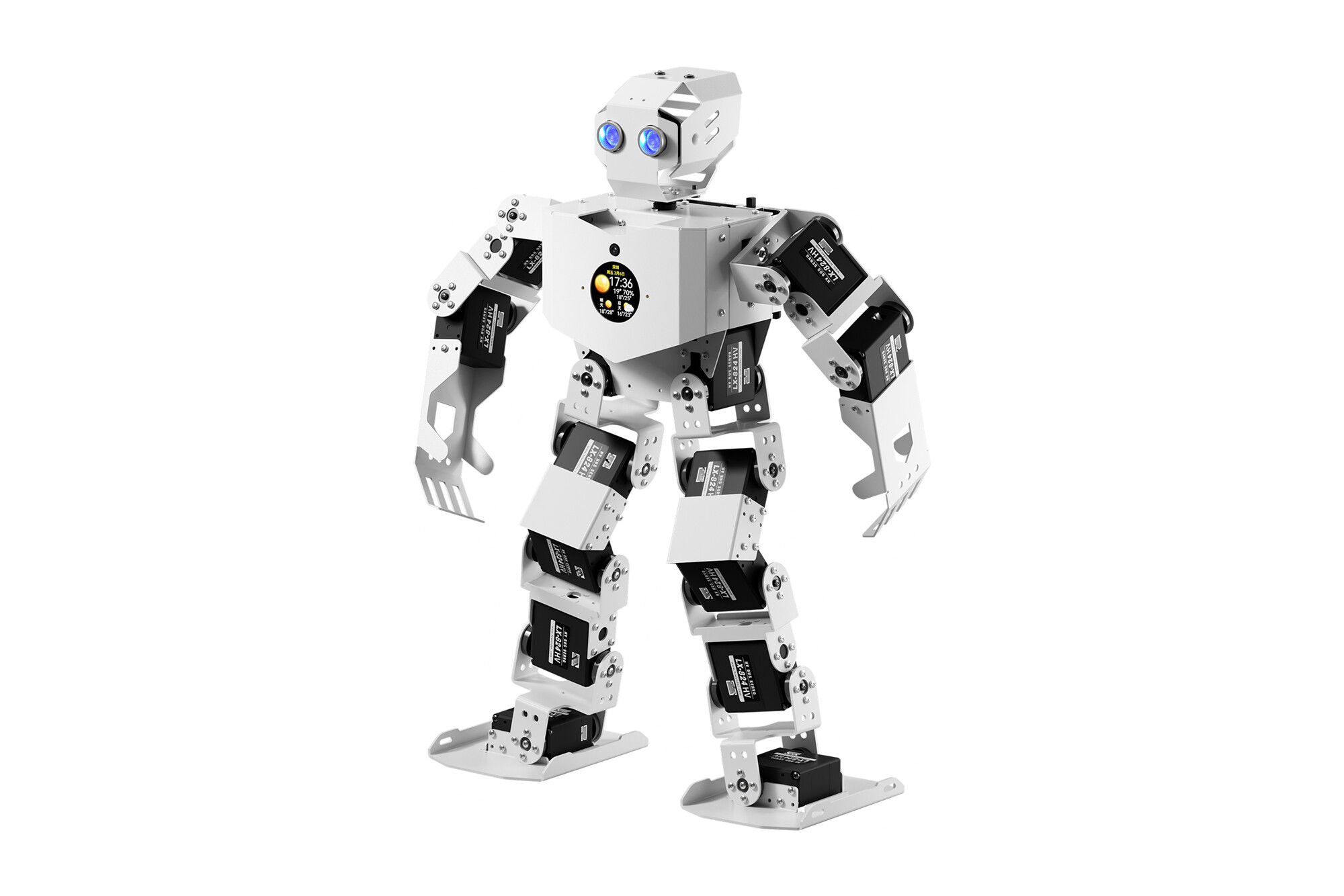
Positioning: low barrier, embedded development, servo control, and a first taste of AI.
Hardware: ESP32, 17 degrees of freedom. Onboard ultrasonic and IMU, with optional dot-matrix display, temperature/humidity modules, WonderEcho AI voice, and an ESP32-S3 vision module. The flagship Tonybot also adds an AI model module (ESP32-S3, with camera and LCD).
Programming: Scratch, Arduino, and Python.
Strength: beginners can go from block coding to real code without setting up Linux. Good for servo control, sensors, and light AI chat/interaction. Best first humanoid for class and maker projects.
TonyPi Pro — Raspberry Pi platform for vision and embodied AI
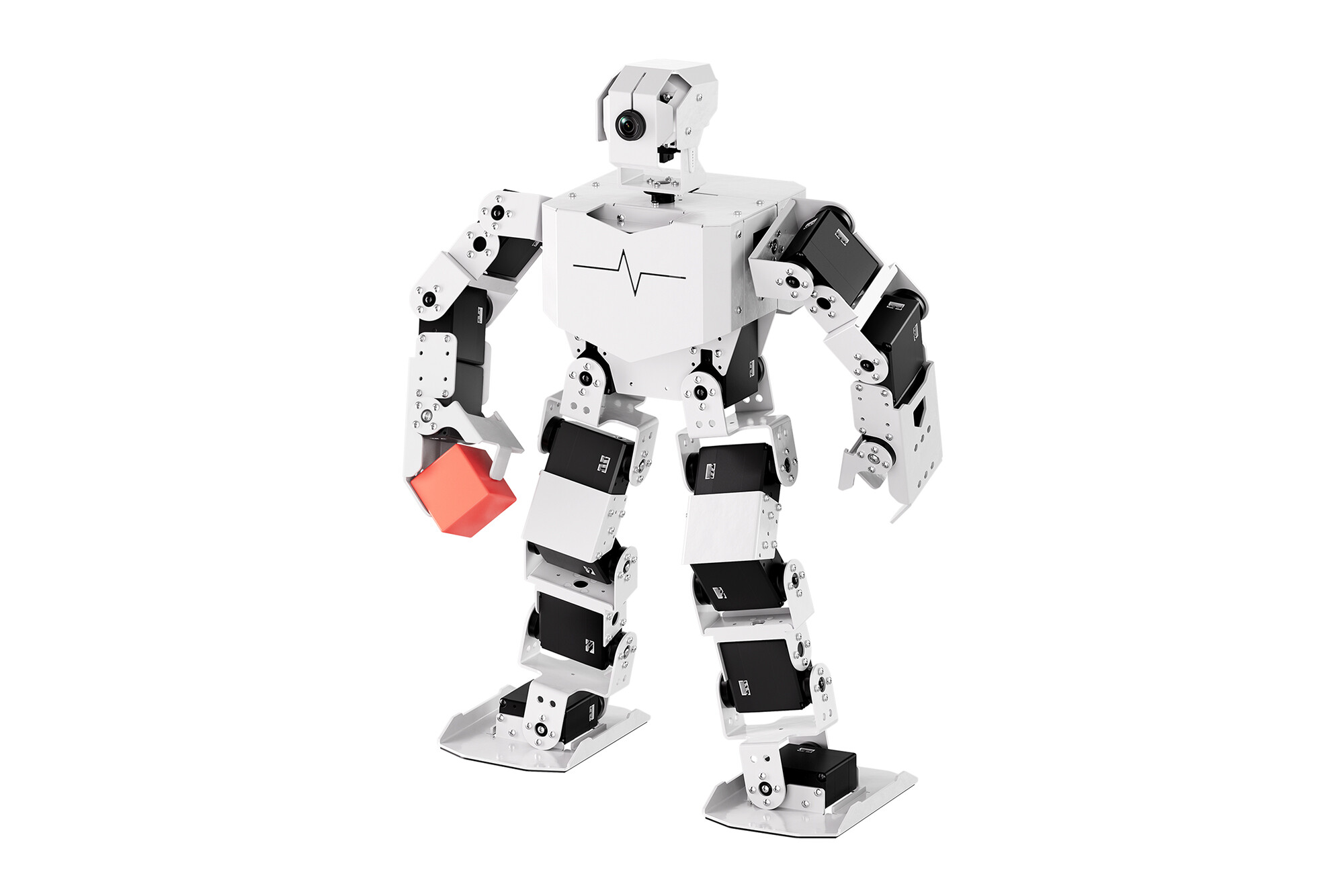
Positioning: AI vision, motion control, and embodied applications.
Hardware: Raspberry Pi 4B or 5, 20 DOF, 2-DOF head vision gimbal, opening/closing hands, WonderEcho Pro AI voice box. Extra sensors such as ultrasonic, dot-matrix, and temperature/humidity can be added.
Scenes: carrying and athletics maps/props so the robot can run more realistic tasks.
Programming: Linux + Python.
Strength: more compute and a fuller software stack. Better for OpenCV, MediaPipe, and vision pipelines. Vision + grippers + onboard AI models support the loop from sensing and decisions to motion — carrying, scene interaction, and other embodied demos.
3. What actually differs
3.1 ESP32 vs Raspberry Pi
The controller sets how deep you can go. Tonybot’s ESP32 is the easiest start for servos, sensors, and embedded work. TonyPi Pro’s Raspberry Pi runs Linux, so you can push Python vision and more complete embodied demos.
3.2 17 DOF vs 20 DOF
The extra joints are in the head and hands. Tonybot’s head is 1 DOF (left/right). TonyPi Pro’s head is a 2-DOF gimbal (pan and tilt), plus 2-DOF opening hands, so poses and manipulation look more complete.
3.3 Fixed palms vs 2-DOF grippers
Tonybot uses fixed palms, so carrying is usually a two-hand hug. TonyPi Pro can pinch blocks or balls with one hand, which unlocks sorting and carrying tasks.
3.4 Basic interaction vs scene kits
Tonybot is mostly the robot itself, plus optional AI and vision modules. TonyPi Pro adds carrying and athletics props, so you can stage hurdles, sorting, and transport as class challenges.
3.5 Vision
Tonybot + ESP32-S3 vision module: face, color, tracking, line following — entry-level embedded vision.
TonyPi Pro: Pi + camera, Python, OpenCV and MediaPipe, then tie vision to walking and manipulation.
3.6 Add-on AI module vs AI on the robot
Tonybot’s flagship AI module runs the model on the module. It’s meant for light use: voice chat, Q&A, scene comments.
TonyPi Pro ties models more tightly to the robot. The Pi handles vision and voice, then drives motion. That supports voice-controlled hurdles, climbing steps, and intelligent carrying.
4. Spec comparison
| Tonybot | TonyPi Pro | |
|---|---|---|
| Controller | ESP32 | Raspberry Pi 4B / 5 |
| DOF | 17 (16 body + 1 head) | 20 (18 body + 2 head) |
| Hands | Fixed palms | 2-DOF opening hands (one-hand grasp) |
| Vision | Flagship: AI-module camera; optional ESP32-S3 head camera | 2-DOF vision gimbal (Standard and above) |
| Programming | Scratch / Arduino / Python | Python |
| Multi-robot control | Yes | Yes |
| AI models | ESP32-S3 AI module; model runs on the module; light voice and scene talk | Models integrated with the robot; online multimodal control of motion |
| Best at | Low barrier: Scratch → Arduino → Python | Open vision stack, OpenCV / MediaPipe, embodied scene demos |
| Buy if | Beginner: embedded, servos, first AI chat | You know some Python and want vision + embodied demos |
FAQ
Q1. No coding experience. Which one should i use?
Tonybot. Scratch lets students experience programming logic first, then move to Arduino and Python.
Q2. I care most about AI vision. Which one should i use ?
TonyPi Pro. It can do color, faces, and line following, and it can run OpenCV and MediaPipe for deeper vision work.
Q3. How do the AI-model experiences differ?
Flagship Tonybot uses the chest AI module for voice and light scene understanding. TonyPi Pro uses the Raspberry Pi so perception, decisions, and walking/grasping stay in one loop.
Q4. On flagship Tonybot, will the extra vision module overlap the function of the chest camera?
No. They do different jobs. The chest AI module (camera + LCD + multimodal model) is for interaction and scene talk. The ESP32-S3 module sits on the head and handles face detection, color tracking, and line following.