Official support staff are being brought in to provide an update on your case. If you still need my help, reply here and @ me. @Hiwonder_Scarlett
Hello,
We will do our best to provide a solution today. However, based on your previous posts, we need to confirm a few details first:
Could you please confirm whether the ROSOrin you purchased is the Standard Kit? We need to verify your exact kit configuration to provide a more accurate solution.
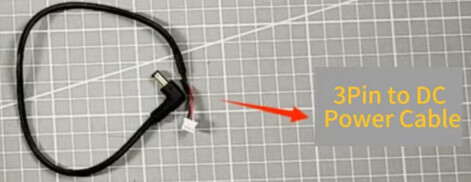
In the previous post, it was mentioned that you did not have the 3-pin to DC cable. Are you still missing this cable? If the STM32 control board and the main controller board are not properly connected with this cable, the system will not receive proper power, which prevents the robot from starting up normally.
Please check your package to see if this cable is included, ensure the power supply is correctly connected, and then try booting the robot again.
We look forward to your reply.
Hi, there,
Since you are using your own Jetson Orin NX board, please check whether it has already been flashed with the compatible JetPack 6.2.
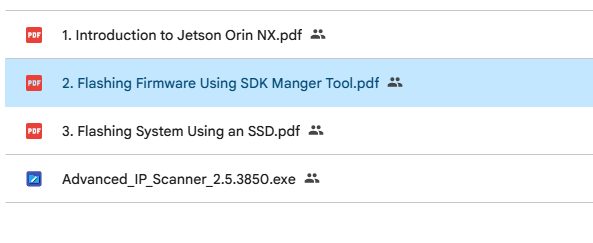
If it has not been flashed yet, please follow the tutorial at this link to flash the corresponding JetPack version:
Jetson Orin NX JetPack Flashing Tutorial
Once the flashing is complete, please try booting the robot again to see if it starts up normally.
We look forward to your reply.
Thank you so much the robot is working now
The Robot works but the controller still does not connect to the robot, i see flashing red and green lights and when the robot is turned on there is a red light that is stable the robot can only be moved via WonderAI app right now
A steady red LED is not the successful pairing state. Successful pairing is indicated by the green LED staying on and the red LED turning off. The controller pairs through its USB receiver in the motion controller, not through the robot’s Wi-Fi.
- Power off both the robot and controller.
- Confirm that the controller’s USB receiver is firmly inserted into the motion controller’s USB port.
- Keep other nearby robots and controllers powered off to avoid cross-connection.
- Start the robot and wait until startup is fully complete.
- Move the controller switch to
ON. The red and green LEDs should initially flash together; after pairing, only the green LED should remain on. - If it entered sleep mode, press
START. A beep from the robot indicates that the controller was awakened successfully.
If the controller still changes to steady red, please provide a clear close-up photo showing the USB receiver and the exact port where it is connected. Do not conclude that the controller or receiver is defective yet.
If this reply was helpful, you can mark it as the solution using the button below.