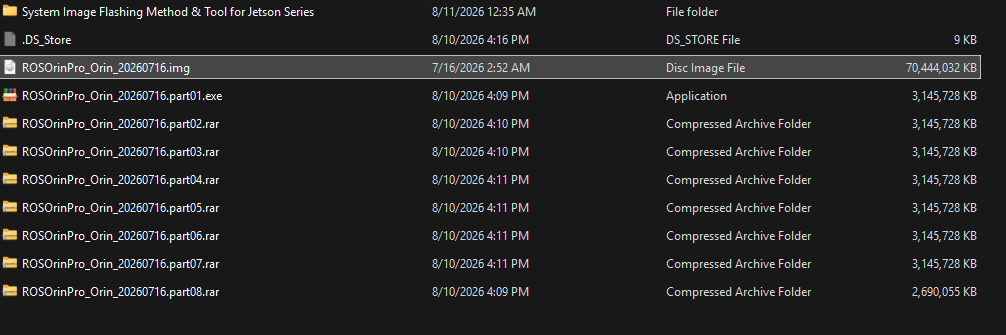
I’ve downloaded the 8 compressed parts of the image for my ROSOrin Pro, and it fails to assemble owing to errors in the first file. I’ve downloaded twice, I’ve tried this on both a Win 11 and a Mac, but the same error appears.
Please advise.
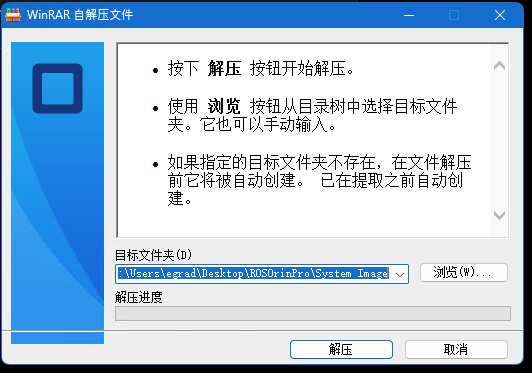
The image is supplied as a split archive. Please retry the extraction as follows:
- Place all eight archive parts in the same folder.
- Start extraction from
part01only; do not extract each part separately. - Select Extract to current folder.
- Use a local folder path containing no Chinese characters. Successful extraction should produce one
.imgfile.
If part01 still reports an error, please provide the exact filenames and byte sizes of all eight parts, the complete extraction error text, and whether your ROSOrin Pro uses the Orin Nano or Jetson Nano version. Do not proceed with flashing until the .img file has been extracted successfully.
If this reply was helpful, you can mark it as the solution using the button below.
Yes, I know this is a split archive; your reply was not helpful at all.
- All 8 archive parts are in the same folder; my screen shot shows that.
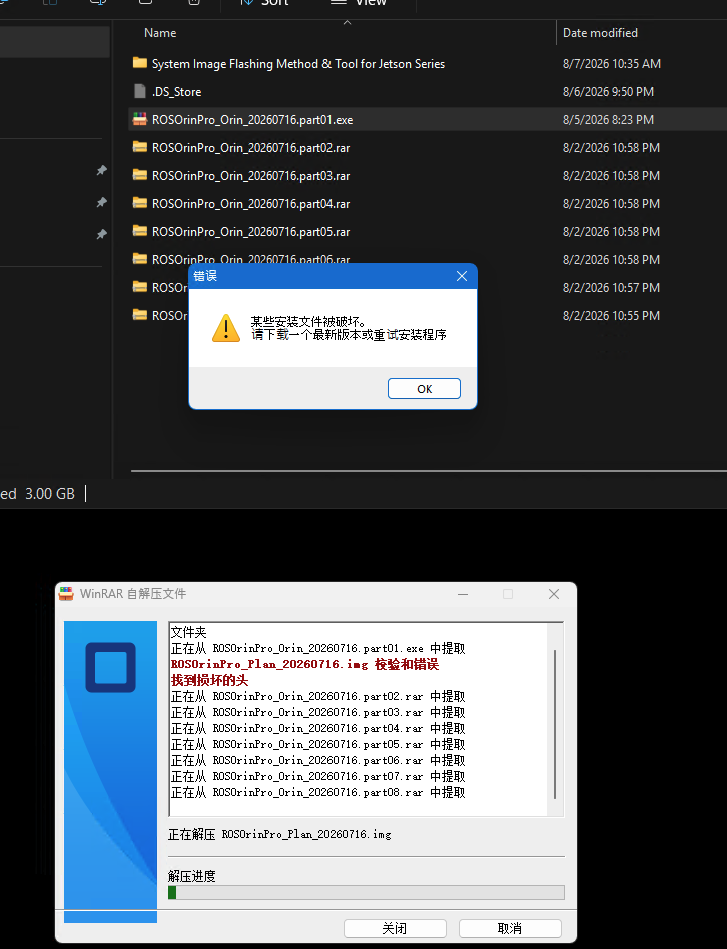
- I never said I extracted each part separately: I started the extraction from part01, the exe file, and as you will see from the Win32DiskImager log, it fails on part01 (though the other parts appear to be intact).
- I did tell it to extract to the current folder; in fact, it created the .img file there but failed
- I don’t speak or use Chinese: all my folders and file names are in English. The only reason you are seeing Chinese characters is because this is what shows up in the Win32DiskImage which you provided. I was only able to navigate the app by using ClaudeAI to translate it for me.
As I said, I have tried this on both my Win 11 machine and my Mac (using RAR tools). I get the identical error in both places, indicating that part01 is corrupt. I have now downloaded that very same file three times, and the same error appears on both hosts.
Please advise.
Official support staff are being brought in to help you. If you still need my help, reply here and @ me. @Hiwonder_Scarlett
As for file size, parts 1 though 7 are all 3.22 GB (to be exact, 3,221,225,472 bytes); part 8 is 2.75 GB (2,754,615,900 bytes).
I’m trying to flash this to the NVIDIA Jetson Orin.
And obviously I won’t try to flash the Orin with an incomplete .img file. I am surprised you think I would try, knowing that it failed.
Sorry, I’m unable to resolve this issue. Please wait patiently for our support staff to assist you. I won’t be replying further in this topic. If you still need my help, please @ me.
@gradybooch @Hiwonder_Zora Hi Zora, please help our customer investigate this issue and provide a solution.
Per your email you wrote:
- Following a detailed review by our R&D department, we have identified a potential issue with the multi-part image archives that were previously uploaded. To resolve this, we are currently re-uploading the image files to our servers. We will notify you and provide the updated download link as soon as the upload is complete.
I look forward to the resolution.